Who Is This For?
Alpha Forge Studio is perfect for:
- Digital creators and sellers on Etsy, Creative Fabrica, Creative Market, Shopify, Payhip, and Gumroad
- Print-on-demand creators who need coordinated alphabet sets in multiple color variations
- Designers who want to save hours on repetitive Photoshop work
- Product line builders creating matching sets across multiple designs and colors
- Windows 10/11 users (Mac not currently supported)
This software is NOT for you if:
- You need Mac support (Windows only)
- You need completely offline software (requires periodic internet connection)
- You're looking for general graphic design software like Photoshop
- You don't sell or create digital alphabet sets, shapes, or pattern-based products
Built by a creator, for creators: Alpha Forge Studio was created by The CreaTiff Girl, a digital seller with 45,000+ sales across multiple Etsy shops. This tool was built from real experience selling digital products and understanding exactly what creators need to scale their businesses.
Licensing & Technical Requirements
Q: How many devices can I use this on?
Your license key works on up to 2 devices. You can deactivate a device anytime in Settings to free up a slot and activate on a different computer.
Q: What are the system requirements?
Alpha Forge Studio runs on Windows 10 or Windows 11 (64-bit). You'll need:
- 4GB RAM minimum (8GB recommended for large bulk exports)
- 500MB free disk space
- Internet connection for activation and periodic verification
Q: Does this work on Mac?
No. Alpha Forge Studio is currently Windows only (Windows 10 or later). Mac support may be added in a future update, but there is no timeline. If you need Mac support, this software is not for you at this time.
Q: Does the app require an internet connection?
An internet connection is required for initial activation. After that, the app checks in periodically to verify your license. You can work offline between check-ins, but this is not a fully offline app — it does require periodic internet access.
Export & Organization Features
Q: What is Bulk Export by Color Palette?
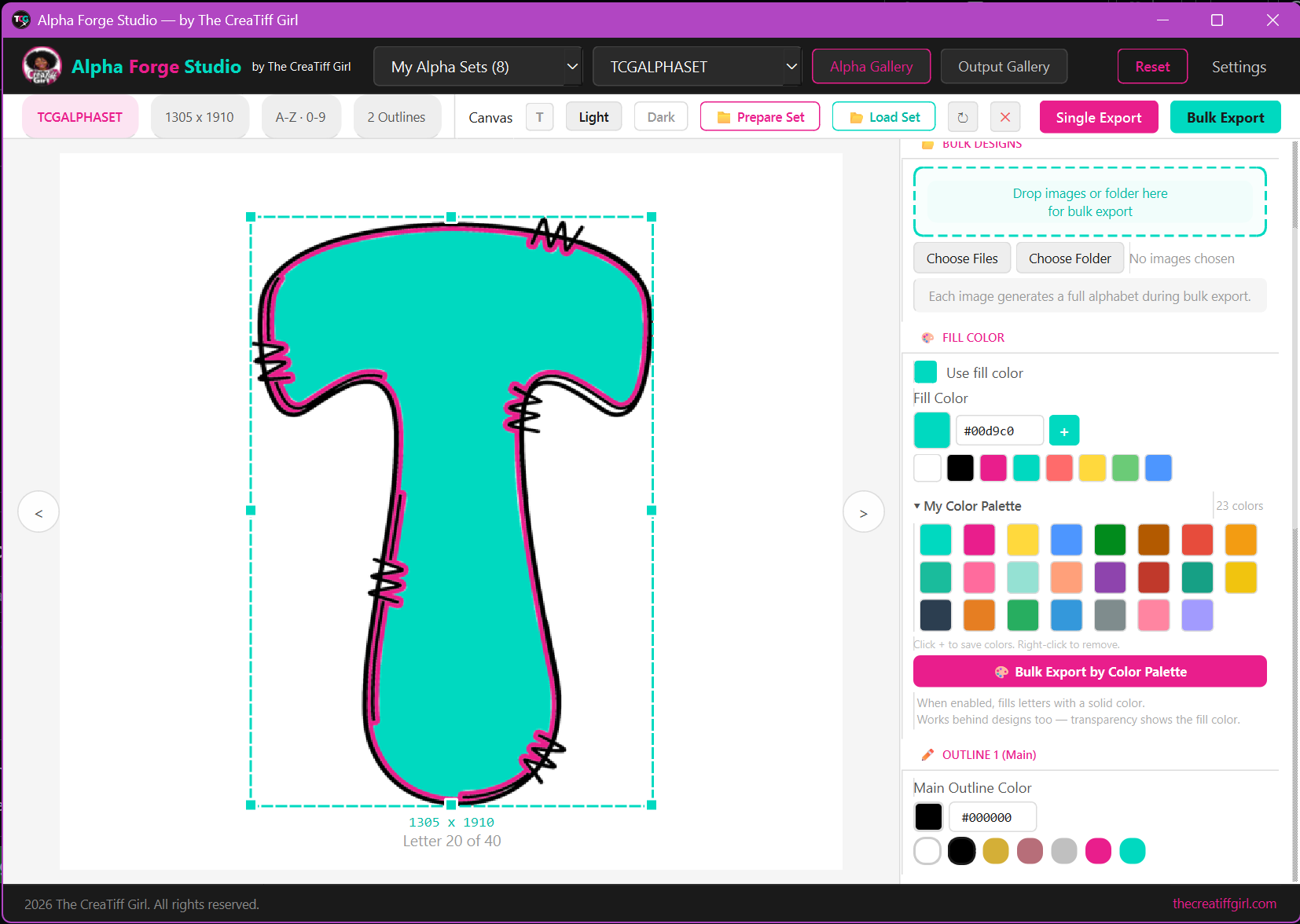
One of the most powerful features for creating product lines. Save your brand colors to the palette, load an alpha set or shape, apply a fill color, then export across every color variation with a single click.
Example: Load your alpha set, save 20 brand colors → get 20 complete sets instantly, each in a different fill color and organized into its own folder.
Q: How are my exports organized?
Alpha Forge Studio automatically organizes your exports into folders so everything is ready for uploading to your shop. You can also add custom prefixes and suffixes to filenames and toggle subfolder organization on or off.
Q: Can I trim transparent edges from my exports?
Yes! There's a built-in option to trim transparent edges automatically during export for cleaner, more professional files.
Q: What file formats does it export?
Alpha Forge Studio exports PNG with transparency and optional layered PSD files. Your original DPI is always preserved, and files are ready to upload to Etsy, Creative Fabrica, Creative Market, or any marketplace.
Alpha Sets & Getting Started
Q: What alpha set formats does it support?
The app works with layered alpha sets that include uppercase, lowercase, numbers, and symbols. Starter alpha sets are included so you can begin creating immediately.
Q: How do I prepare my own alpha sets?
Use the built-in Prepare Set tool — just drop your raw files in and the app organizes them for you. Your download also includes a README.txt with setup instructions if you need additional guidance.
Q: Do I need Photoshop?
No! Alpha Forge Studio handles everything — file preparation, design application, and export — all within the app. No external software required.
Q: Can I organize my alpha sets into collections?
Yes! Group your sets by style or project and switch between them instantly using the dropdown menu.
Purchasing & Support
Q: What's included with my purchase?
- Alpha Forge Studio desktop application (Windows)
- Starter alpha sets (bundled and ready to use)
- Auto-generated listing mockups
- Prepare Set tool built in
- README with setup instructions
- 1 year of free updates
- Email support
Q: What if I need to reinstall or get a new computer?
Go to Settings → Deactivate License on your old device first, then activate on the new one with the same key.
Q: Is there a refund policy?
All sales are final once the license key has been activated. Due to the digital nature of the software, we cannot offer refunds after activation. Please review the product description, screenshots, and this FAQ carefully before purchasing to ensure the software meets your needs.
Q: Do I get updates? What happens after 1 year?
Your purchase includes 1 year of free updates from the date of purchase.
After 1 year, the app continues to work exactly as-is — nothing stops working, you keep all features. Future major versions may be offered at a discounted upgrade price, but your current version will always work.
Q: Where can I get support?
Email thecreatiffgirl@gmail.com — I typically respond within 24 hours. You can also visit apps.thecreatiffgirl.com and my YouTube channel (The CreaTiff Girl) for tutorials.
© 2026 The CreaTiff Girl. All rights reserved.
apps.thecreatiffgirl.com
© 2026 Tiffany. All rights reserved.
Unauthorized reproduction, distribution, or commercial use of any screenshots, documentation, or software materials is strictly prohibited.